- 2025 ~
- ~ 2023
Simulation
Overview
This manual page will describe how to use the Gazebo and Webots simulation environments with the ROBOTIS-OP3 robot. Install the required packages below to begin. Note that all required packages must be installed to to use simulation properly.
Gazebo Installation
Gazebo
CAUTION : Before installing Gazebo, please reference this table of compatible ROS and Gazebo Combinations to verify your configuration is supported.
Additional Packages for Gazebo
To use the Gazebo simulation environment you'll need to install the following packages:
If you are using ROS2 jazzy, the following commands will install the required packages.
$ sudo apt install ros-jazzy-ros2-control
$ sudo apt install ros-jazzy-ros2-controllers
$ sudo apt install ros-jazzy-ros-gz
$ sudo apt install ros-jazzy-gz-ros2-control
Webots Installation
Webots
Additional Installation for Webots
To use the Gazebo simulation environment you'll need to install the following packages:
- Webots ROS2 If you are using ROS2 jazzy, the following commands will install the required packages.
$ sudo apt-get install ros-jazzy-webots-ros2
Download Packages
How to execute Gazebo Simulation
How to Execute
Use the command below to launch the ROBOTIS-OP3 Gazebo simulation.
$ ros2 launch op3_gazebo_ros2 robot_sim.launch.py
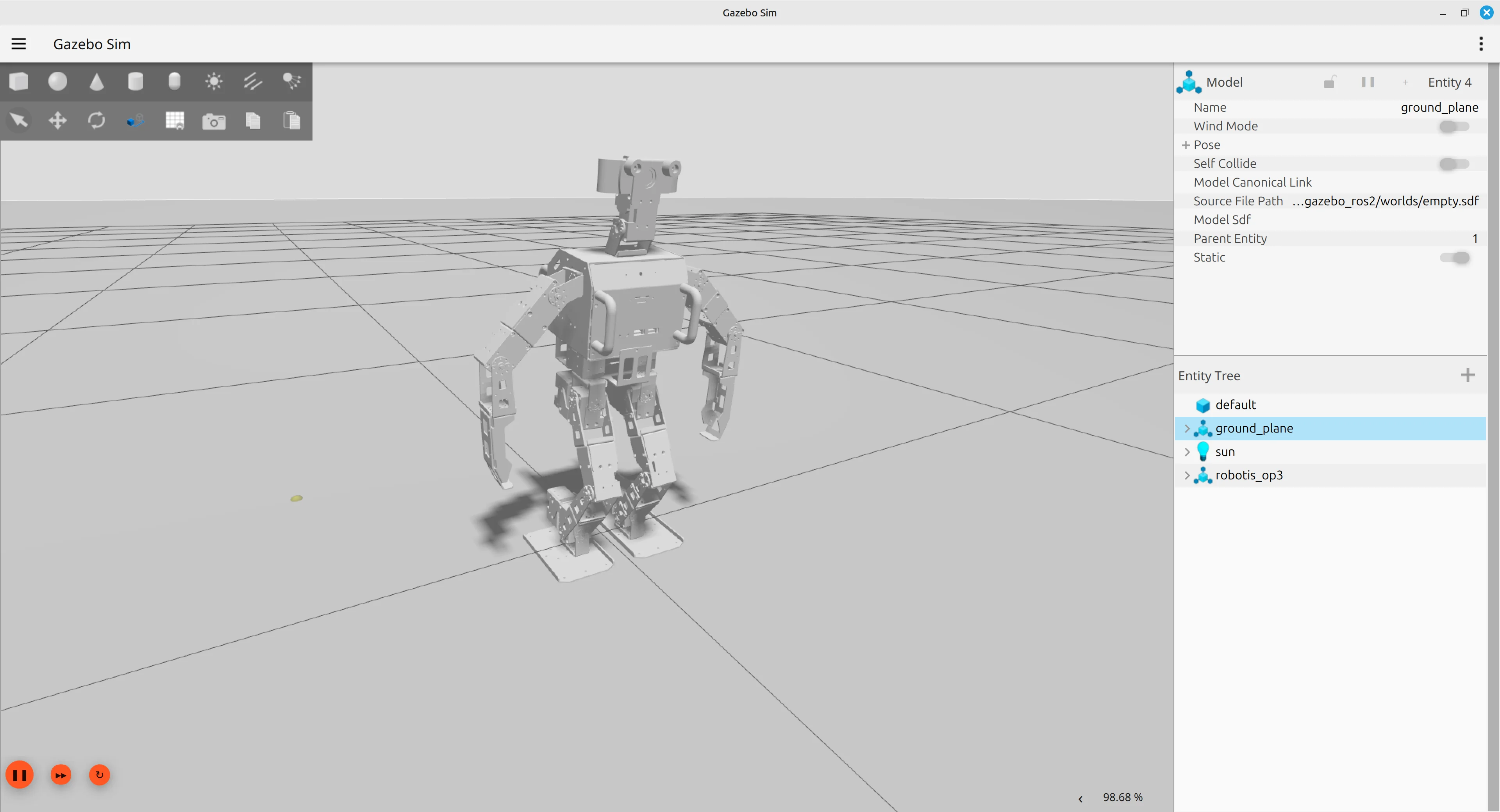
op3_manager for Simulation
- Launch op3_manager for simulation
$ ros2 launch op3_manager op3_simulation.launch.py
- Please refer to the tutorials below for the additional simulation and control procedures.
OP3 Tutorials
How to execute Webots Simulation
How to execute
Use the command below to launch the ROBOTIS-OP3 in Webots
$ ros2 launch op3_webots_ros2 robot_launch.py
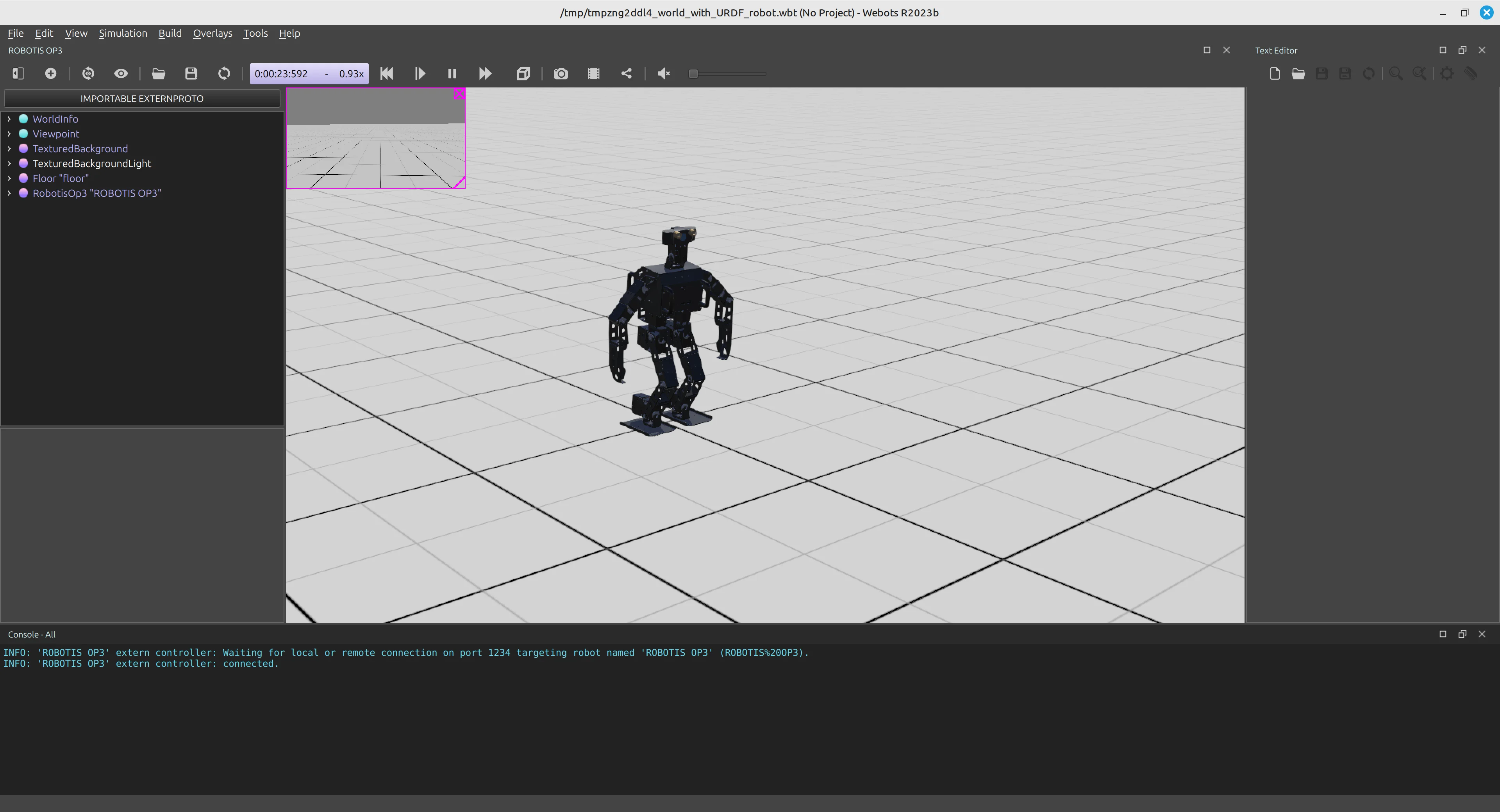
op3_manager for Simulation
- Launch op3_manager for simulation
$ ros2 launch op3_manager op3_simulation.launch.py
- Please refer to the tutorials below for additional simulation procedures. OP3 Tutorials
Simulation
Gazebo Installation
Overview
ROS-Gazebo Package Installation
Gazebo with ROS
Download Package
Additional Installation
If ros-kinetic-desktop-full was used to install, the following packages need to be installed.
# apt-get install ros-kinetic-ros-control
# apt-get install ros-kinetic-ros-controllers
# apt-get install ros-kinetic-gazebo-ros-control
Webots Installation
This version does not support it.
How to execute Gazebo Simulation
Overview
How to set up & execute gazebo simulation
Recommendation
If Gazebo is running on the OPC, realtime factor can be decreased, therefore, it is recommended to use a separate PC for Gazebo.
How to execute
- The command to call ROBOTIS-OP3 in Gazebo
$ roslaunch op3_gazebo robotis_world.launch
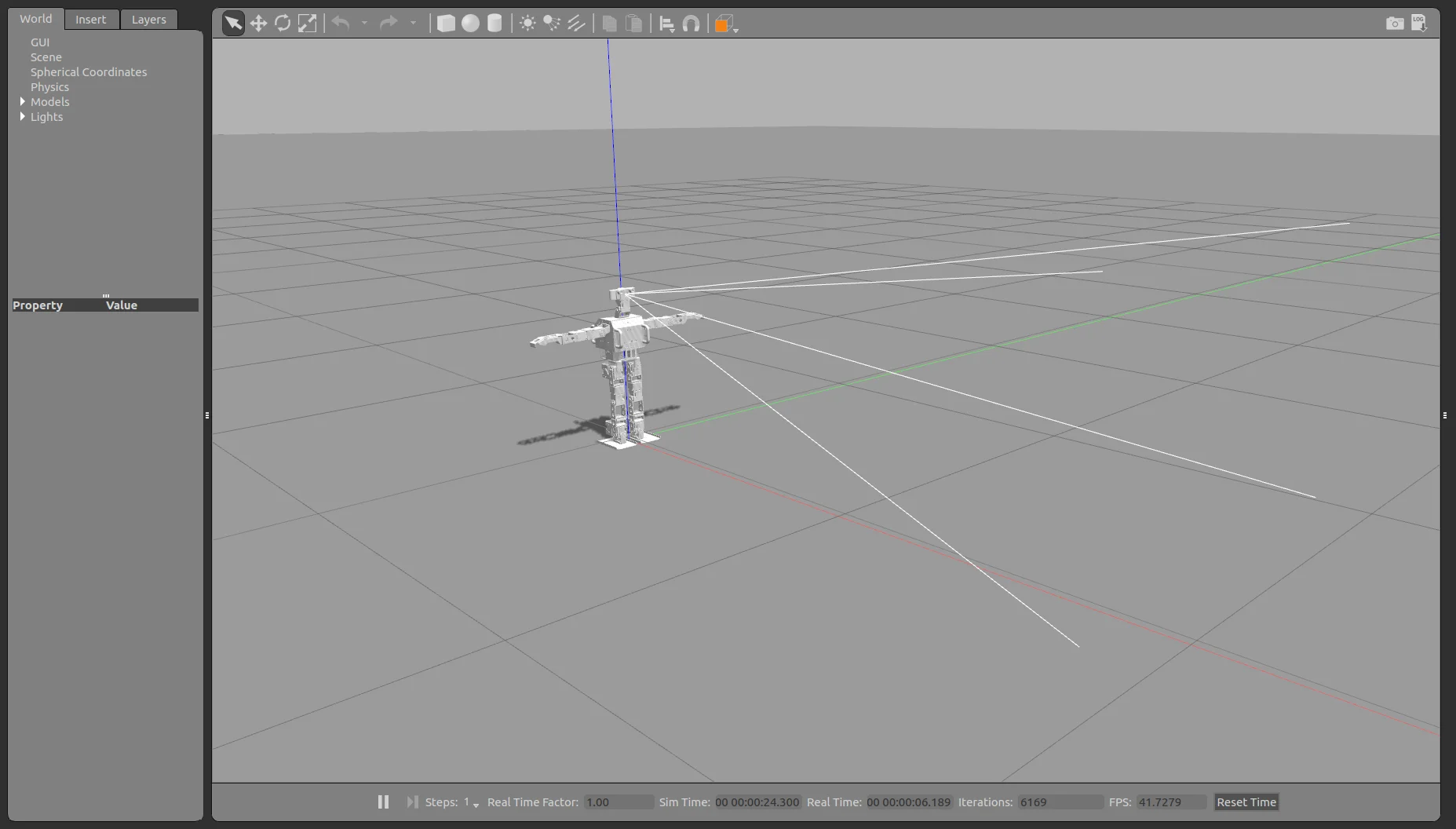
op3_manager for Gazebo
- Launch op3_manager for gazebo
$ roslaunch op3_manager op3_gazebo.launch
- Please refer to below tutorials for the rest procedures.
OP3 Tutorials
To improve gazebo simulation
- Change joint gain
Controller File - Edit physics engine
World File
How to execute Webots Simulation
This version does not support it.