Menu Description
Main Screen
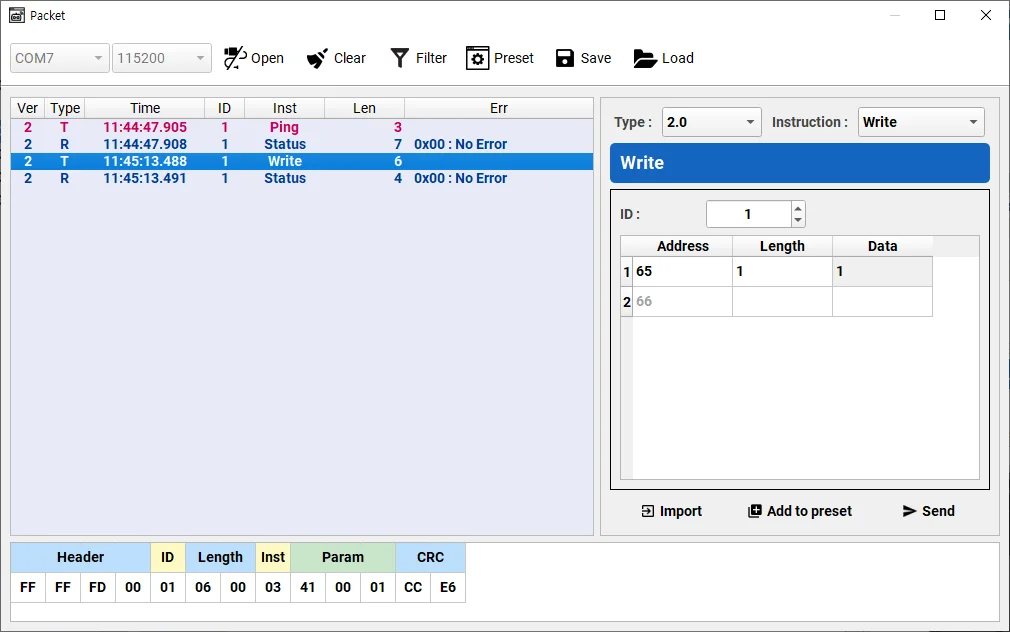
The main screen of software classifies the detected DYNAMIXEL's according to communication ports, baudrates, and products. Detected DYNAMIXEL's can be tested by modifying control table values.
Graph Window
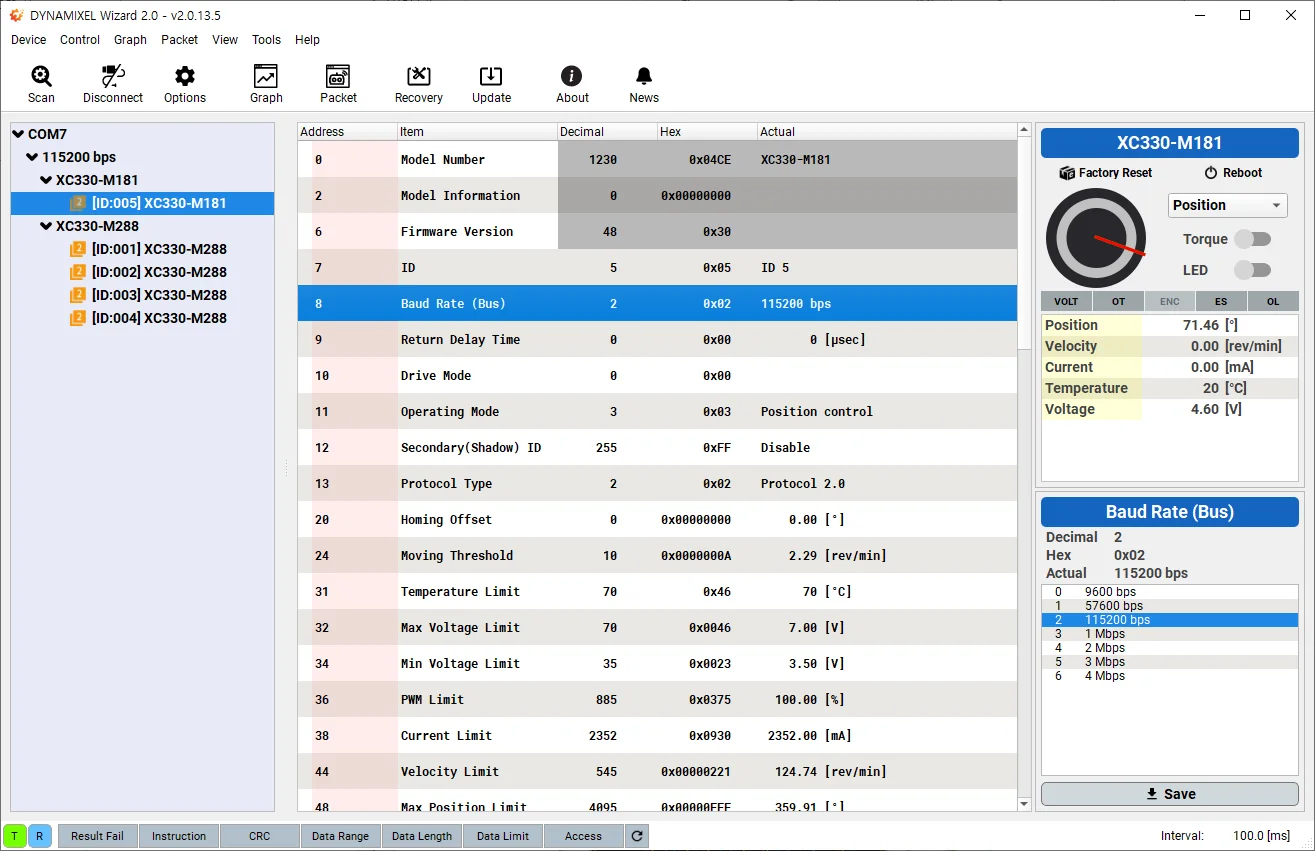
By selecting control table items to be plotted, values of the selected items will be drawn in the graph window in real time. Please refer to Basic Features > Graph section for more details about selecting control table items.
Packet Window
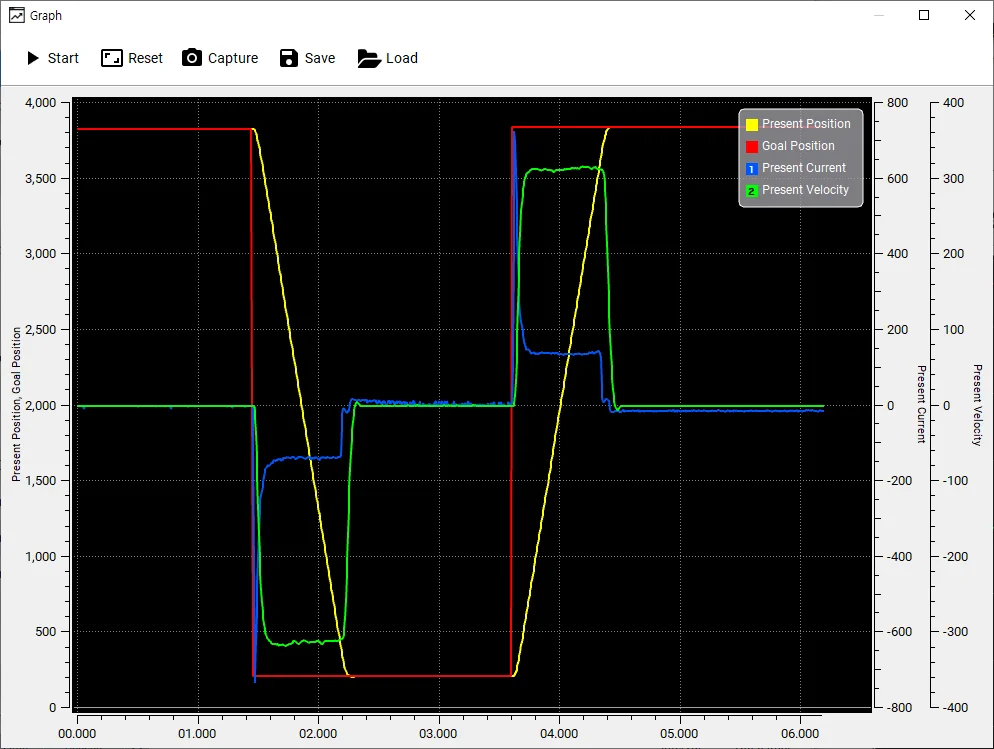
User can manually generate an Instruction packet for the selected protocol version. Detailed packet data can be loaded by selecting a packet in the packet history.